

Image viewer
MiniPic Image Viewer: a free photo viewer
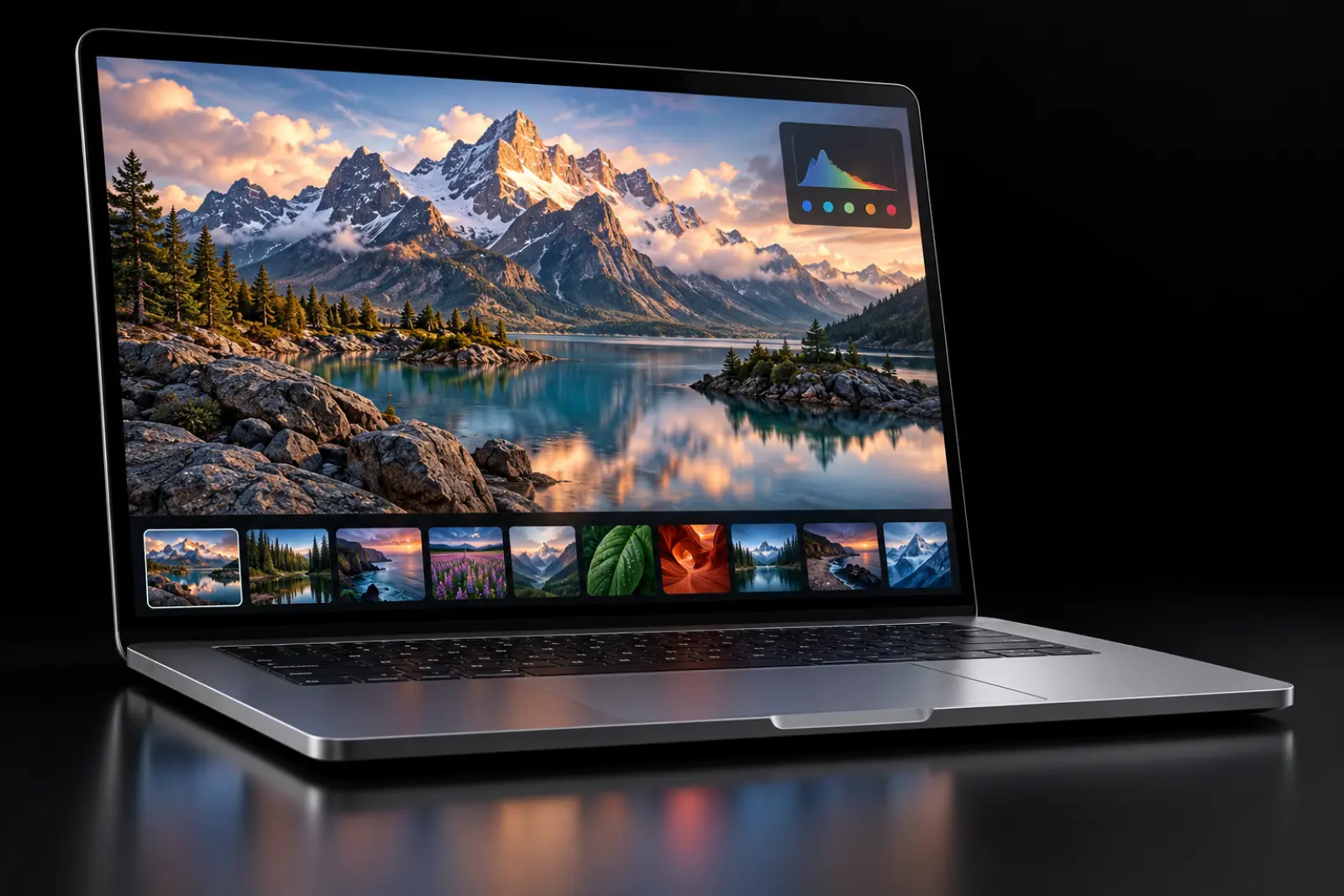
MiniPic Image Viewer is the free image viewer in the desktop app. Set it as your default app for images, zoom in, page through photos and browse with a filmstrip, then compress any image in one click and compare before and after with a slider.
Default app
Double-click to view: make it your default image app.
Set MiniPic as the default app for images, and just double-click to view. It changes only when you set it yourself, and never takes over on its own.
Browsing
Zoom, page through, and browse with a filmstrip.
Look through one after another, or jump to any image with a click.
Zoom & page
Zoom in for detail, and page left or right to the next image.
Filmstrip
Thumbnails line the bottom, so you can jump straight to the one you want.
Frame by frame
Step through animated images frame by frame and save any frame as an image.
Keep on top
Float the viewer above other windows while you check against reference material.
Info panel
EXIF, histogram and ICC info.
Shooting settings, brightness distribution and color profile, all at a glance in the info panel.
- EXIF
- Histogram
- ICC
One-click compression
Compress in one click, compare with a slider, and save as another format, right as you view.
Image too big? Compress it with one click, drag the slider to compare before and after, and save once you’re happy.
One-click compression
MiniPic’s in-house engine, one click away.
Slider comparison
Drag left and right to see the difference before and after compression.
Save As
Save a copy in another format, leaving the original untouched.
Built-in tools
Pick colors, recognize text and annotate without leaving the viewer.
On Mac, you can also translate and remove backgrounds right in the viewer.


Translate & remove background
On Mac, translate and remove backgrounds right in the viewer; background removal counts toward the free quota of 3 a day.
Learn about background removalSVG & video
The Mac app previews SVG and video too.
Open the SVG icons from your design files and the demo videos you’ve recorded right in the viewer.
Price
Free.
Viewing, one-click compression, comparison, saving as another format, color picking, OCR and annotation are all free. Background removal in the viewer is Mac only and counts toward the free quota of 3 a day.
¥0
System requirements
Works on Mac and Windows.
Mac
macOS 13 or later, with installers for both Apple silicon and Intel. Background removal in the viewer requires macOS 14 or later.
Windows
Windows 10 / 11 64-bit.
FAQ
Is MiniPic Image Viewer free?
Yes. Viewing, one-click compression, comparison, saving as another format, color picking, OCR and annotation are all free; background removal in the viewer is Mac only and counts toward the free quota of 3 images a day.
Can I make it my default image viewer?
Yes. Set MiniPic as the default app for images in your system; MiniPic never makes itself the default on its own.
Can I view animated images frame by frame?
Yes. You can step through animated images frame by frame and save any frame as an image.
Can I see a photo’s shooting info?
Yes. You can view EXIF data, a histogram and ICC color profile information.
Can it preview SVG and video?
The Mac app can preview SVG and video files.
Related features

Color picker
Press a shortcut, click anywhere, and copy that color.

OCR
Turn the text in a screenshot into copyable text in one click.
Remove background
Remove backgrounds on your Mac and export a transparent PNG. Images aren’t uploaded.
Batch compression
Drop in a whole batch at once, or right-click in Finder or File Explorer to compress.